
If you're an Achieve admin and want to view the playlists and learning modules included in a program, follow these steps:
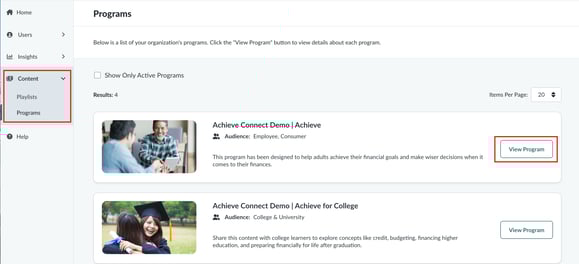
1. Go to Your Programs
- From the left-hand menu, click Content > Programs.
- Find the program you want to explore and click View Program.
2. Review the Program Info
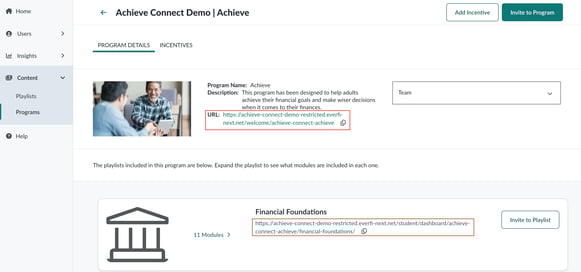
- On the Program Details tab, you'll see a list of the playlists and modules included in the program.
- Each item includes a preview link so you can see how the content will appear to learners.
3. Experience the Content as a Learner
- Want to see exactly what your learners will experience? Click the option to send yourself an invitation to the program using the Invite to Program or Invite to Playlist buttons. This gives you full access to the content, just like a learner would see it.
Tip: Sending yourself an invite is the best way to test the full learner experience, including navigation, content flow, and completion tracking.